
Power Charlie with IFM models
Charlie and the agents it hires can now run on IFM's K2 Horizon and Jais 3. Add your IFM key once in AI Providers and pick the model for each kind of work.
Charlie and the agents it hires can now run on models from the Institute of Foundation Models (IFM). Add your IFM key once, choose K2 Horizon or Jais 3, and your next request runs on IFM from the first step to the finished result.
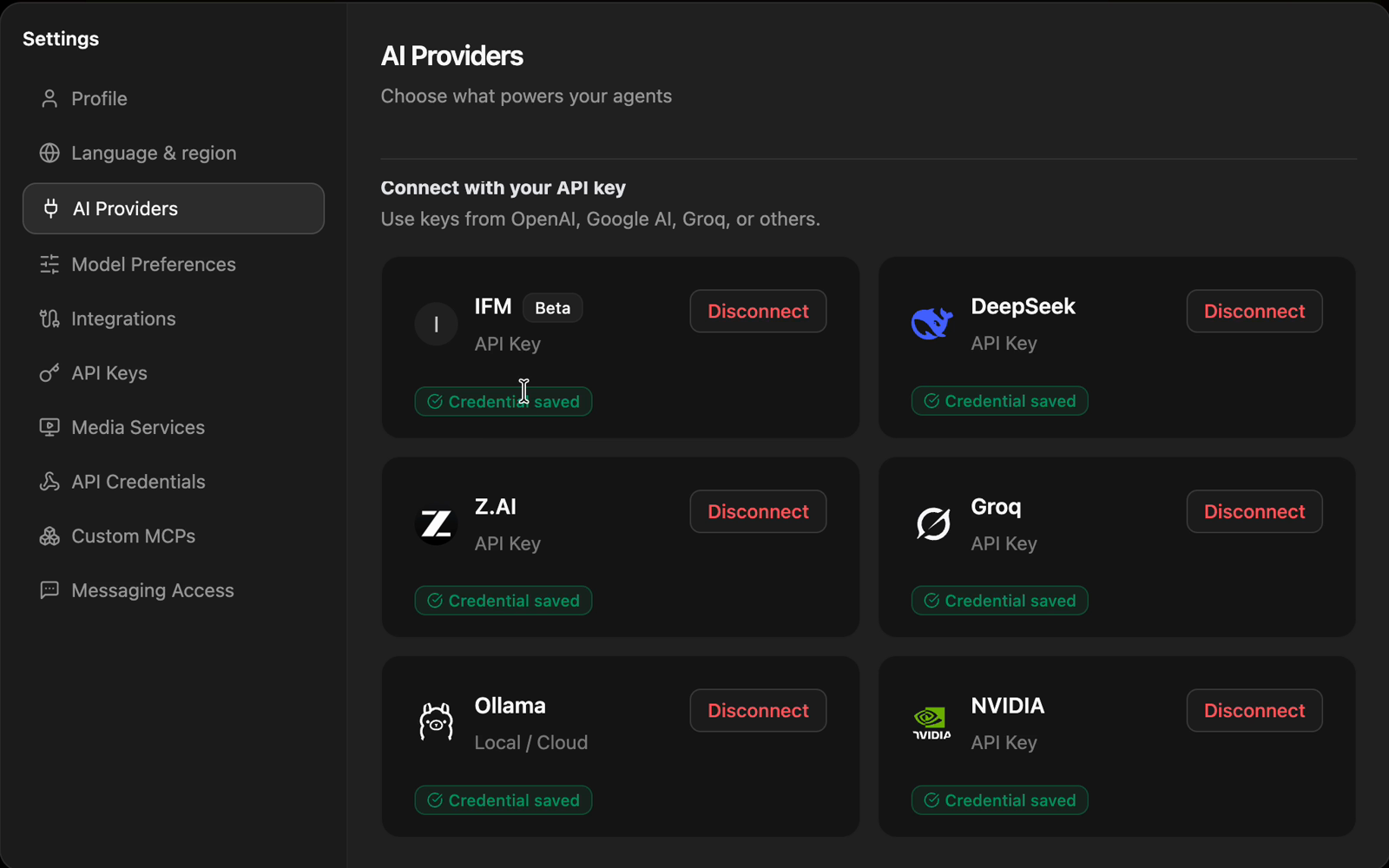
Connect IFM with one key
Open Settings, then AI Providers. On the IFM card, click Get your API key to create a key on the IFM site, paste it into API Key and click Add. CloudStation checks the key, the card shows Credential saved, and a message confirms that IFM is configured.
Choose which IFM model does what
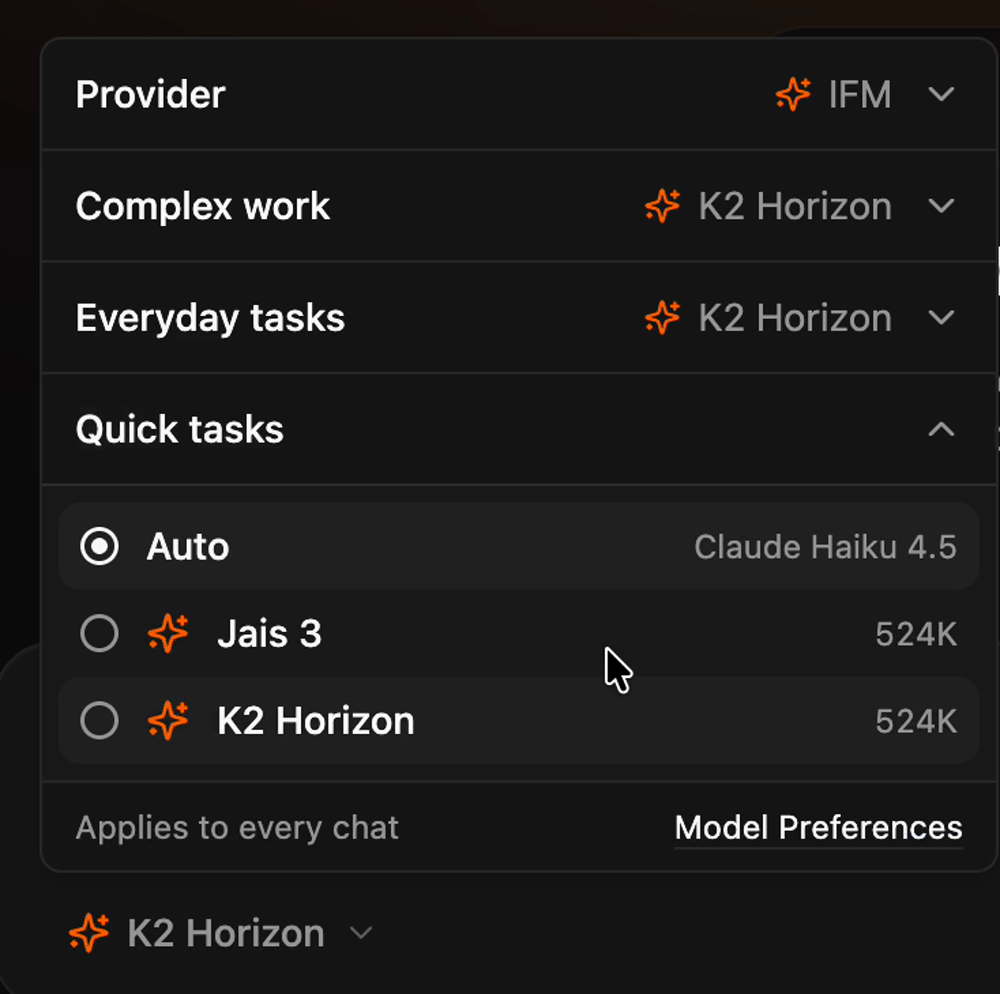
Open the model menu under the chat box and set Provider to IFM. Then pick K2 Horizon or Jais 3 for Complex work, Everyday tasks and Quick tasks. Both show a 524K context window. The choice applies to every chat, and you can change it any time in Model Preferences.
What it did with the first request
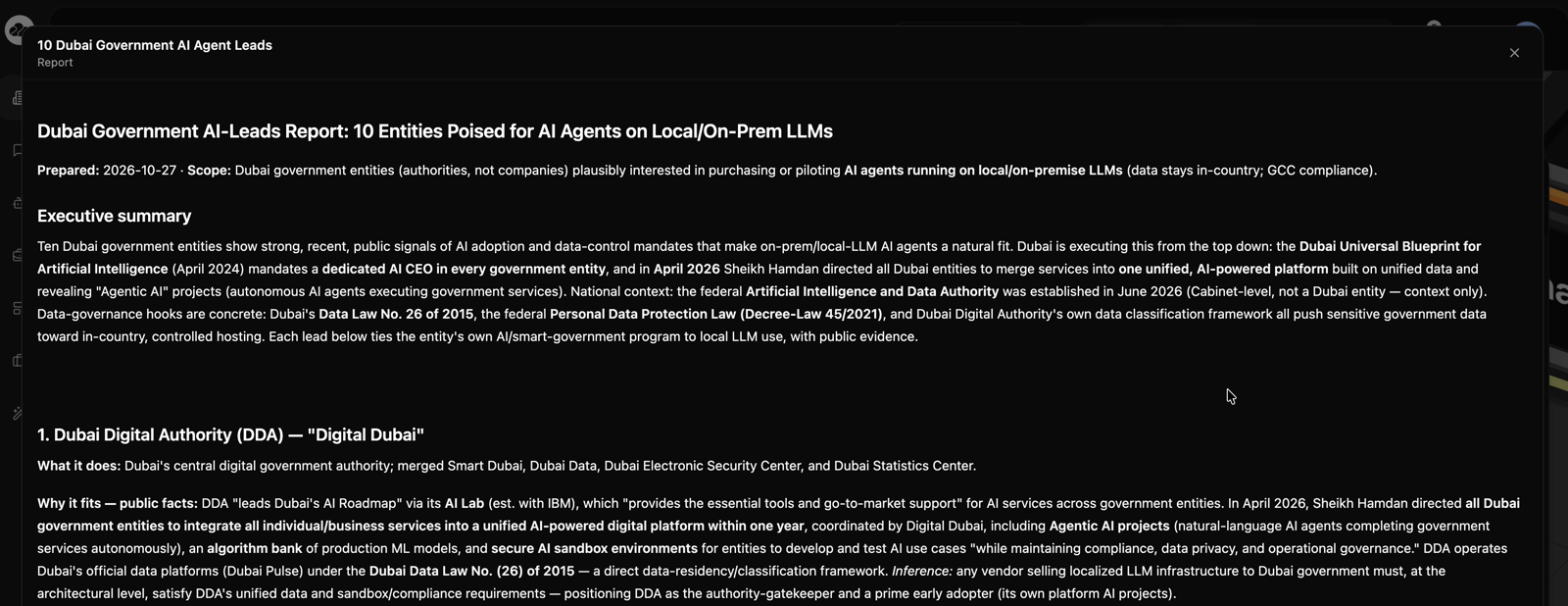
We asked Charlie: “Find me 10 new leads from Dubai Government that would be interested in AI agents running on local LLMs.” Charlie hired a Deep Research agent, which went to work in Headquarters on K2 Horizon and ran its web research there. It came back with a report on ten Dubai government bodies, each with what it does, why it fits, an entry point and its sources.
IFM is available in Beta under Settings, then AI Providers. Start with Charlie and add your key.
More in AI Agents
Why Do WhatsApp Business Messages Cost 1000% More Than They Should?
The shocking truth about WhatsApp Business API pricing that your current provider doesn't want you to discover - and the open-source solution that gives you the same enterprise messaging capabilities for 97% less.
Get an AI assistant that actually does your work - ready in 10 minutes
Deploy your own autonomous AI agent in 10 minutes. Agent Zero doesn't just chat - it writes code, executes commands, and learns from every interaction. This guide shows you exactly how to set it up locally with full control, or deploy instantly on CloudStation.
NLWeb Deep Dive: A Real-World Setup Guide with Lessons Learned
Complete NLWeb local setup guide covering real installation challenges, API requirements, vector database config, and troubleshooting. Includes costs, gotchas, and one-click CloudStation alternative for easy deployment.