

Integrations
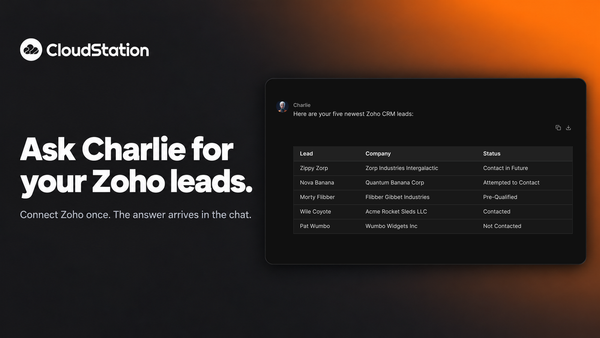
Ask Charlie for your Zoho leads
You can now connect Zoho to CloudStation and ask Charlie about your CRM in plain words. Ask for your newest leads and the list arrives in the chat.
Changelog
Updates on Charlie, workspaces, workflows, connected tools, templates, review experiences, and the business controls teams need to use AI at work.
Integrations
You can now connect Zoho to CloudStation and ask Charlie about your CRM in plain words. Ask for your newest leads and the list arrives in the chat.
Agents
When an agent’s delete is refused, a card appears in the conversation. Allow that one call, allow deletes for 30 minutes, or keep it blocked. Charlie re-runs the work after you decide.
Agents
When Charlie puts an agent on a job with one of your saved API keys, a card shows what that key lets it do. Keys that can delete wait for your go-ahead. Platform cards now stay in your chat history too.
Security
Every connection and every saved API key now refuses deletes by default. Reading, updating and creating keep working, and you decide per key and per connection what agents may do.
Agents
Describing a job is now enough: the right agent is chosen, started and reported back in one action. Charlie also checks what a finished agent claims against what it actually did.
Admin
Each agent now reports what it has spent and how long it has run against the budget you set, and one that reaches its limit stops taking new work instead of being cut off.
Providers
Every model now comes from one published list with real prices and limits, four new providers are available, and you can change an agent's model mid-conversation and keep the history.
Browser
A second, much lighter browser handles simple page reads and searches, and agents can record a session so you can watch exactly what happened.
Charlie now keeps a small set of durable facts about your projects and the way you work, suggests new ones from past conversations, and asks before saving anything personal.
Integrations
Microsoft Planner is now supported end to end, and Business Central covers the full cycle from purchase order through shipping, posting and invoicing.
Security
Owners set up model providers, tools, and business accounts once, and the whole workspace can use them while the underlying keys stay protected on the server.
Tasks
Comment on tasks, mention teammates, follow a full activity history, and get notified the moment work is assigned to you.
Integrations
Charlie now works inside Microsoft Teams, and agents can act across Outlook, OneDrive, Power BI, and Dynamics 365 Business Central.