An agent’s permissions used to be invisible at the moment that mattered: when Charlie hired it and handed it a key. You found out what the key allowed by watching what the agent did.
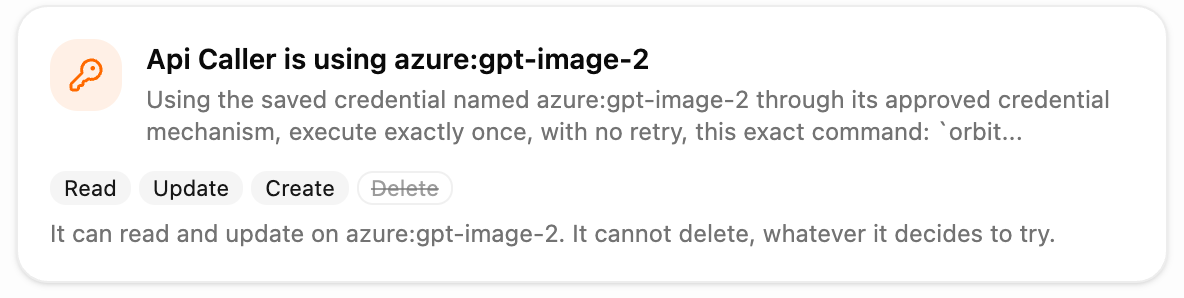
Now the card comes first. When an agent is about to start with one of your saved API keys, the conversation shows which key, what the task is, and the four permissions the key carries. If the key can delete, the agent waits until you say go.
What you can do now
- Read, on the card, exactly what a key permits before the agent’s first call: Read, Update, Create, Delete.
- For a key that can delete, approve or decline the hire from the card. Nothing starts until you answer.
- For update-only or create-only keys, see the notice and carry on. No click needed.
- Find these cards, and every other card the platform posts, in the conversation history after a reload. They used to disappear.
Why it matters
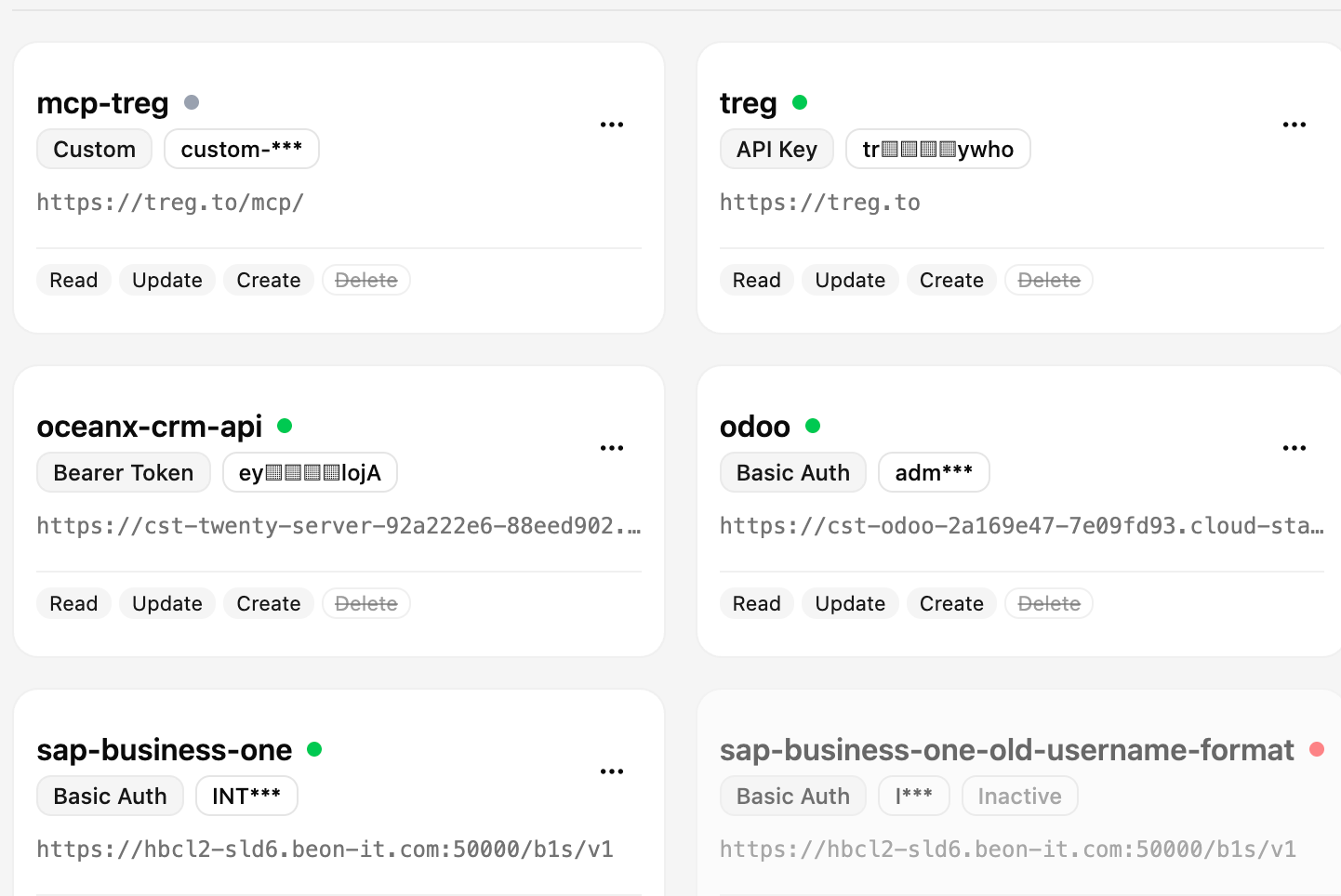
A key is a bundle of abilities, and most people do not remember what each one bundles. Showing the bundle at hire time turns a vague “it has my YouTube key” into a precise “it can update and create, it cannot delete”. That is the moment to notice a mismatch, not after the job.
Making delete-capable keys wait is the same principle as the rest of this release: removal is a decision, so it gets asked as one. And a card that survives a reload means the record of that decision stays with the conversation.
Example workflows
- Marketing: an agent is hired to fix titles across a channel. The card shows Read and Update only; you know before it starts that nothing can be removed.
- Support: an agent gets a CRM key that can delete records. The card waits; you approve for this task, and only this task.
- Audits: scroll back through a conversation and see every key an agent was handed and what each allowed, in order.
What’s next
The same hire-time card is coming to connections such as Google Drive and SharePoint, so a job that will need to delete asks before it starts rather than when it is blocked.