
Agents
Make a launch video with Charlie's video team
Charlie can now hire a team of video experts to make your launch video. You pin notes on the draft, approve it, and download the final video.
Ask Charlie for a launch video and Charlie hires a team of video experts to make it. A Motion team lead runs the work with you while a reference analyst, a screen capturer, a builder and a reviewer each do their part at the same time. Press Open Studio to watch them work.
Pin your notes on the draft
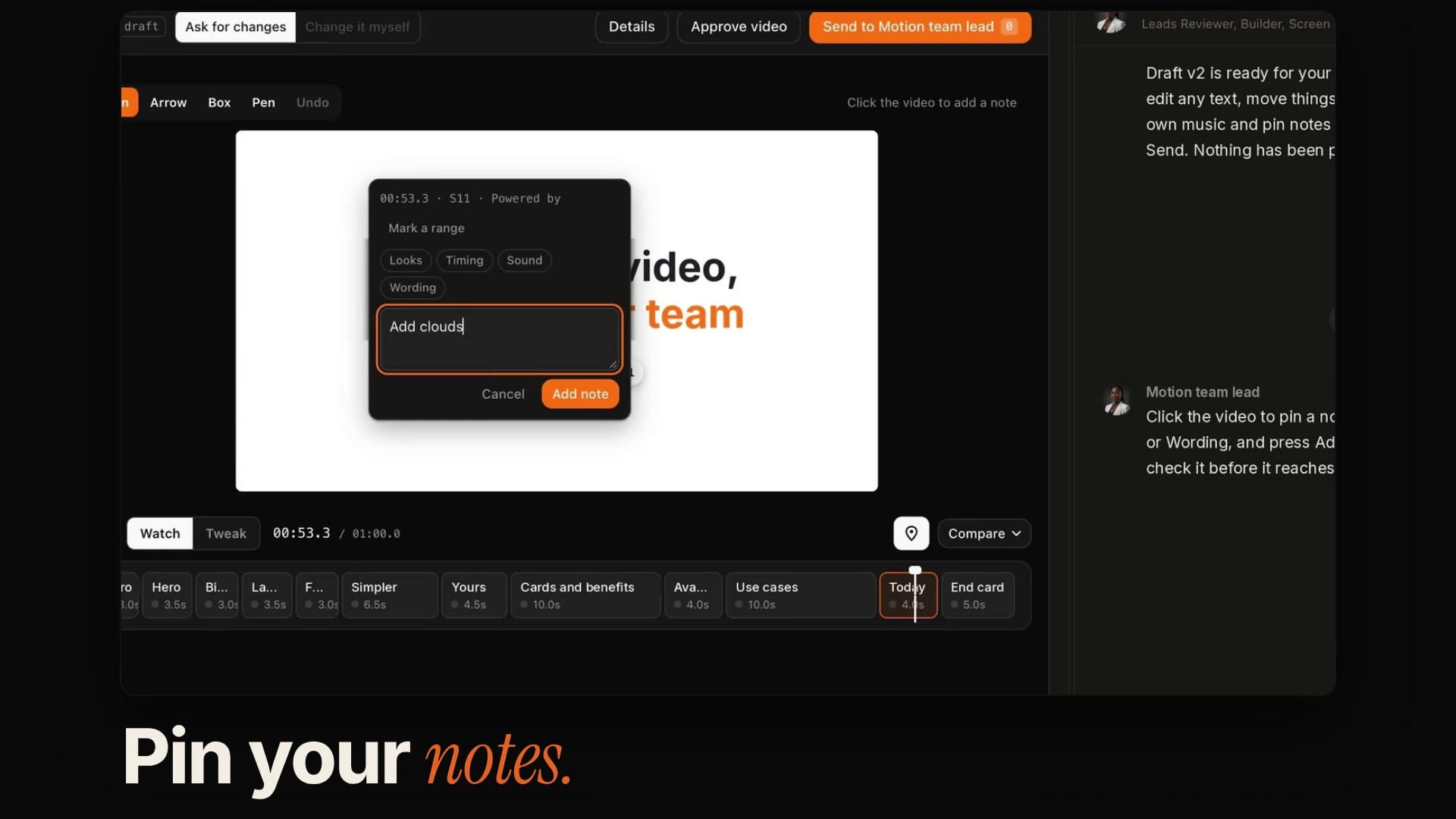
The draft plays in the Studio before anything is final. Click the video to pin a note, tag it Looks, Timing, Sound or Wording, and press Add note. Use Arrow, Box or Pen to point at what you mean. Send to Motion team lead passes your notes to the team, and the next draft comes back with each one fixed.
Approve, then download
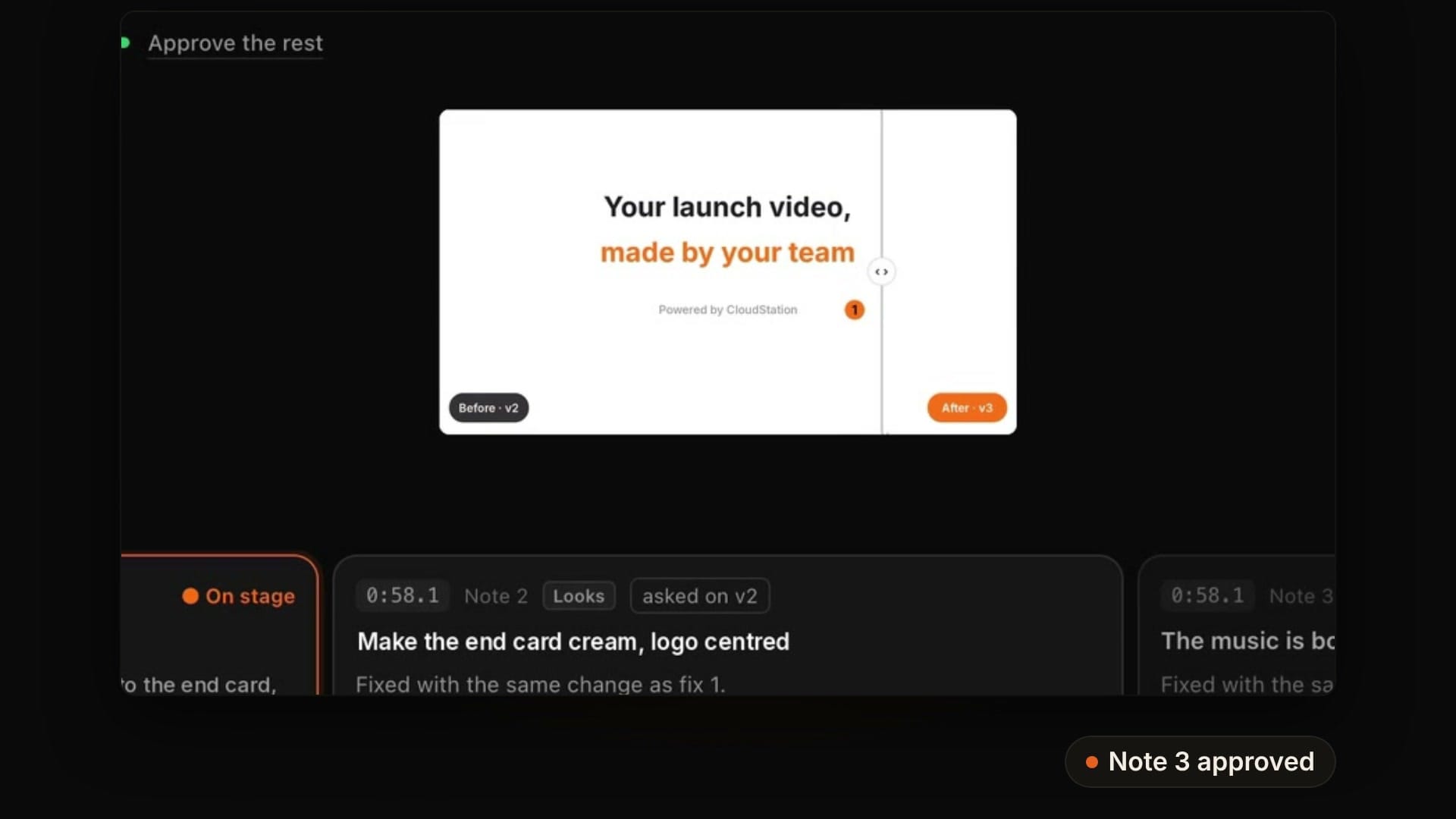
Compare shows a fix before and after, next to the note that asked for it. When the draft looks right, press Approve video. The team renders the final video, the reviewer checks it, and Download MP4 appears in your chat. Reopen Studio brings you back for another round.
More updates
Integrations
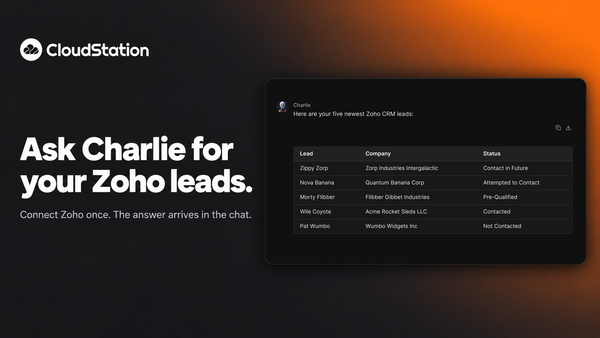
Ask Charlie for your Zoho leads
You can now connect Zoho to CloudStation and ask Charlie about your CRM in plain words. Ask for your newest leads and the list arrives in the chat.
Agents
Allow a blocked delete from the chat, once or for a while
When an agent’s delete is refused, a card appears in the conversation. Allow that one call, allow deletes for 30 minutes, or keep it blocked. Charlie re-runs the work after you decide.
Agents
See what a key allows before an agent starts
When Charlie puts an agent on a job with one of your saved API keys, a card shows what that key lets it do. Keys that can delete wait for your go-ahead. Platform cards now stay in your chat history too.