
Integrations
Bring Microsoft 365 and more into your AI workflows
Charlie now works inside Microsoft Teams, and agents can act across Outlook, OneDrive, Power BI, and Dynamics 365 Business Central.
CloudStation now connects to a much wider set of business tools, with deep support for Microsoft 365.
Charlie is available right inside Microsoft Teams, and agents can work across Outlook, OneDrive, Power BI, and Dynamics 365 Business Central.
It means your AI work can happen where your business already operates.
What you can do now
- Chat with Charlie directly in Microsoft Teams, with mentions and live replies.
- Manage Outlook calendar events, contacts, and tasks from your AI work.
- Work with files in OneDrive as its own connected account.
- Create and update Power BI workspaces, reports, and datasets.
- Connect Dynamics 365 Business Central for finance and operations data.
Why it matters
Most teams don't want another place to work. They want AI to meet them inside the tools they already use every day.
Expanding into Microsoft 365 and business systems lets agents act where the real work lives, instead of asking people to copy information back and forth.
Example workflows
- Teams-first: A team mentions Charlie in a Teams channel to get a quick summary without switching apps.
- Scheduling: An assistant agent books and updates Outlook calendar events.
- Reporting: An operations lead has an agent build a Power BI report from live data.
- Finance: A team pulls Business Central records into a planning workflow.
What’s next
We'll keep growing the catalog of connected tools so AI work fits naturally into your existing stack.
More updates
Integrations
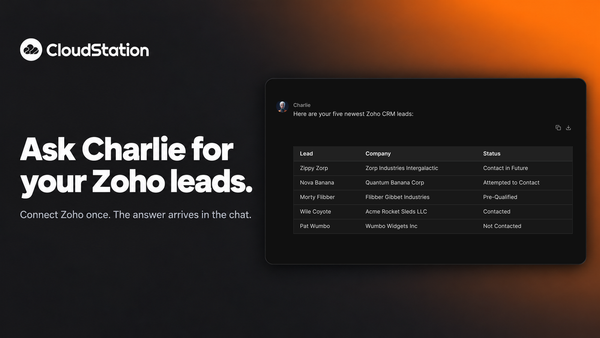
Ask Charlie for your Zoho leads
You can now connect Zoho to CloudStation and ask Charlie about your CRM in plain words. Ask for your newest leads and the list arrives in the chat.
Agents
Allow a blocked delete from the chat, once or for a while
When an agent’s delete is refused, a card appears in the conversation. Allow that one call, allow deletes for 30 minutes, or keep it blocked. Charlie re-runs the work after you decide.
Agents
See what a key allows before an agent starts
When Charlie puts an agent on a job with one of your saved API keys, a card shows what that key lets it do. Keys that can delete wait for your go-ahead. Platform cards now stay in your chat history too.