
Security
Share AI access across your team without sharing secrets
Owners set up model providers, tools, and business accounts once, and the whole workspace can use them while the underlying keys stay protected on the server.
Teams can now set up the accounts their AI work depends on once, and share that access with the whole workspace, without ever exposing the underlying secrets.
An owner or admin connects a model provider, a custom tool, or an external business account, and members simply use it in their work. Keys and tokens stay protected on the server, never in a chat thread.
It turns AI from something each person configures alone into shared team infrastructure.
What you can do now
- Set up a model provider key once and let every member use it automatically.
- Share custom tools and integrations with the team without handing out secrets.
- Give members access to external business accounts through a secure connection, not copied credentials.
- Choose which team's access to use when you belong to more than one.
- Manage shared accounts, tools, and members from one team overview.
Why it matters
Getting AI work started usually stalls on the same problem: access. Either everyone sets up their own accounts, or sensitive keys get passed around in chats and documents.
Shared workspace access removes both problems. People get what they need to do the work, and admins keep control over how sensitive accounts are handled.
Example workflows
- Agency teams: An admin connects the agency's model provider once so every strategist and writer can work without their own keys.
- Operations: A team shares access to an internal business system so agents can pull data without anyone copying credentials.
- Multi-team members: A contractor on two client workspaces picks the right client's account for each task.
- Custom tooling: An admin shares a custom integration with the team, and members enable it in a click.
What’s next
We'll keep expanding what teams can safely share, with clearer controls over who can use which accounts and more visibility into how shared access is used.
More updates
Integrations
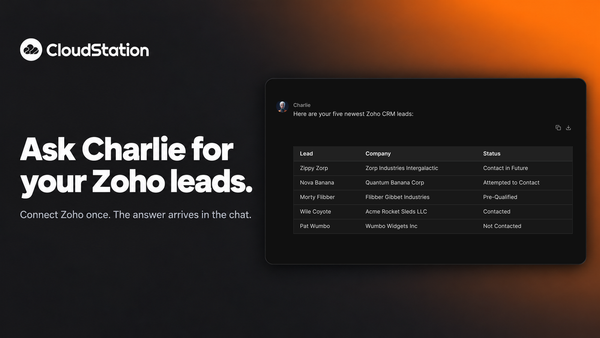
Ask Charlie for your Zoho leads
You can now connect Zoho to CloudStation and ask Charlie about your CRM in plain words. Ask for your newest leads and the list arrives in the chat.
Agents
Allow a blocked delete from the chat, once or for a while
When an agent’s delete is refused, a card appears in the conversation. Allow that one call, allow deletes for 30 minutes, or keep it blocked. Charlie re-runs the work after you decide.
Agents
See what a key allows before an agent starts
When Charlie puts an agent on a job with one of your saved API keys, a card shows what that key lets it do. Keys that can delete wait for your go-ahead. Platform cards now stay in your chat history too.