
Preview
Web preview made AI-assisted work easier to review
CloudStation preview surfaces let teams inspect web-based output before sharing, approving, or moving forward.
CloudStation added web preview so teams could review AI-assisted web work in context.
For marketers, agencies, founders, and product teams, a final chat message is not always enough. Pages, prototypes, and browser-based outputs need to be seen, checked, and revised before they are shared.
What you can do now
- Preview web-based work connected to a project.
- Review pages and prototypes before handoff.
- Keep feedback close to the work being reviewed.
- Ask for changes with more context than a screenshot can provide.
- Use review as a practical checkpoint before work moves forward.
Why it matters
AI work becomes easier to trust when people can inspect it.
Preview gives teams a shared review loop. Instead of waiting for a final answer or bouncing between tools, users can see the output, decide what needs to change, and keep the conversation tied to the project.
Example workflows
- Landing page review: Preview a draft page while Charlie helps refine the messaging.
- Client approval: Inspect work before sending it to a client or stakeholder.
- Prototype feedback: Review a small app or page and turn feedback into follow-up tasks.
What’s next
We’ll keep improving the review loop across previews, browser work, project context, and human approval so teams can move faster without skipping judgment.
More updates
Integrations
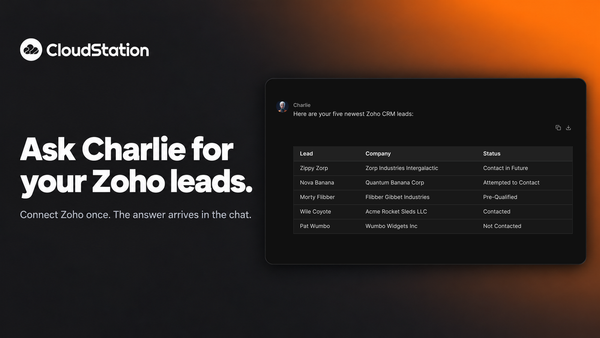
Ask Charlie for your Zoho leads
You can now connect Zoho to CloudStation and ask Charlie about your CRM in plain words. Ask for your newest leads and the list arrives in the chat.
Agents
Allow a blocked delete from the chat, once or for a while
When an agent’s delete is refused, a card appears in the conversation. Allow that one call, allow deletes for 30 minutes, or keep it blocked. Charlie re-runs the work after you decide.
Agents
See what a key allows before an agent starts
When Charlie puts an agent on a job with one of your saved API keys, a card shows what that key lets it do. Keys that can delete wait for your go-ahead. Platform cards now stay in your chat history too.